
DDM Client
DDM Client is the desktop modeling environment for creating and maintaining data models. Use it to design conceptual, logical, and physical models, apply standards and naming rules, check model quality, and collaborate through the model repository.
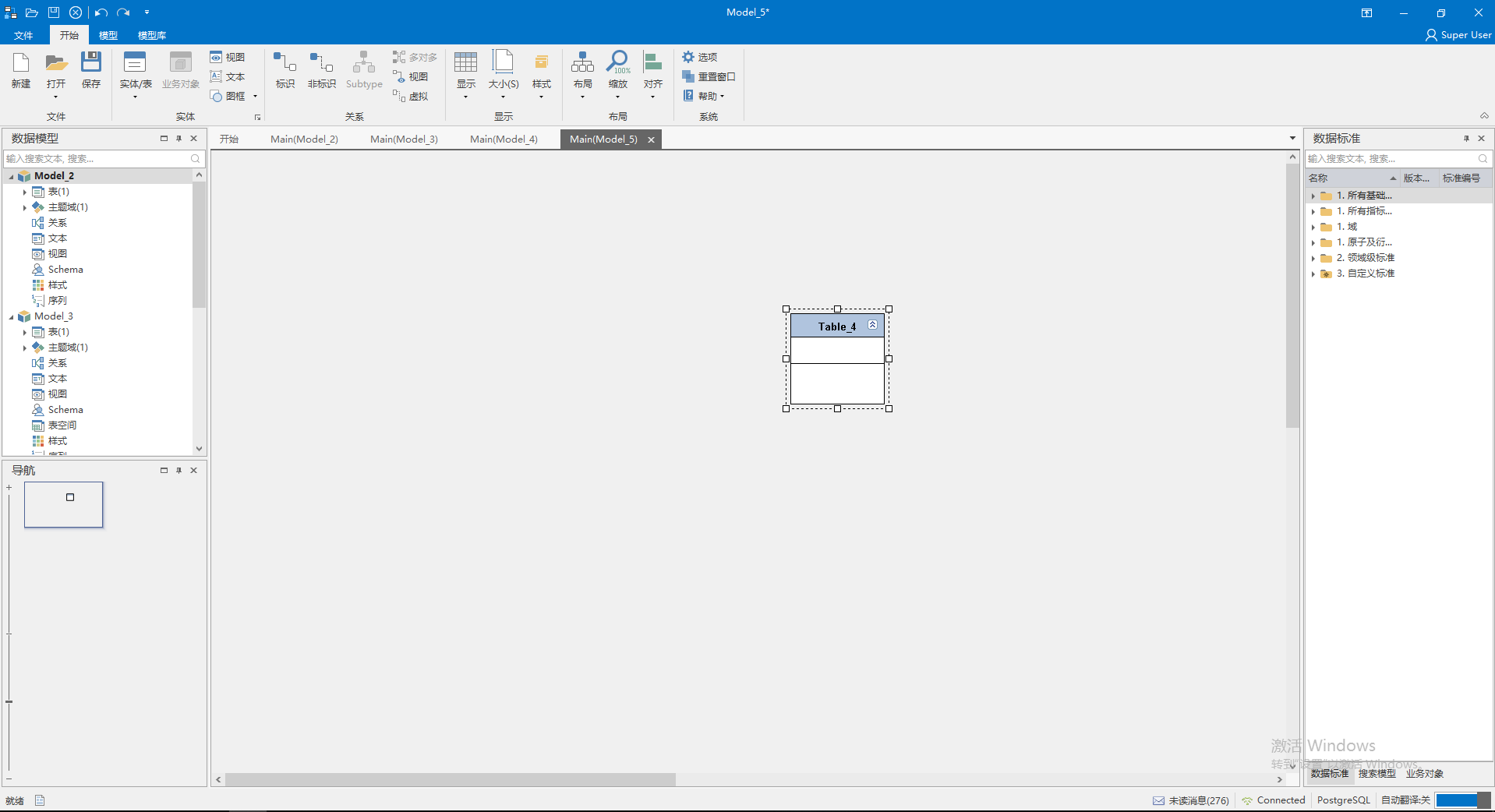
Workspace areas
| Area | Purpose | Guide |
|---|---|---|
| Top toolbar | File, start, model, and repository commands | Toolbar |
| Model tree | Browse and maintain objects in the open model | Model tree |
| Canvas | Display and edit the current subject area | Canvas |
| Resource catalog | Reusable standards, searches, and business objects | Resource catalog |
| Status bar | Model checks and result messages | Status bar |
Recommended reading order
Start with system requirements, installation, and product activation. Then review the interface and learn model operations, entity and table operations, attribute and field operations, and relationship operations.
After basic modeling, apply data standards, naming settings, and model checks. For advanced work, use model comparison, DDL generation, data source updates, and repository branches.
Working boundaries
Repository, branch, permission, approval, and online collaboration features require a connection to DDM Server. Public standards, naming dictionaries, entity templates, and check rules are maintained by the server and synchronized to the client.
DDM Archy manages architecture assets and application systems. DDM Dora provides conversational modeling and intelligent assistance inside the client. See the DDM Server, DDM Archy, and DDM Dora guides for those workflows.