
Custom Update Model
Custom update models are used for scenarios that both refresh the current model and incorporate new tables added to the database. It differs from the automatic update model in the update scope and confirmation process: automatic updates only overwrite the existing tables in the model, custom updates can append new tables in the database, and decide which differences to write to the model by comparing and merging.
Difference from autoupdates
| Comparison | Auto-update Model | Custom Update Model |
|---|---|---|
| Update scope | Tables already in the current model | Tables already in existence + Tables added in the database |
| Treatment | Directly overwrite updates based on database | Compare merges after reverse exit of temporary model |
| Pickable variance | No | Yes, decide what to merge based on the comparison |
Perform custom updates
- Perform a custom update model on the model.
- Select the database tables to include, including new tables.
- The system generates a temporary model in reverse.
- Enter the Compare Merge screen to check the difference between the temporary model and the current model.
- Select the difference you want to merge and perform the merge to get the latest model.
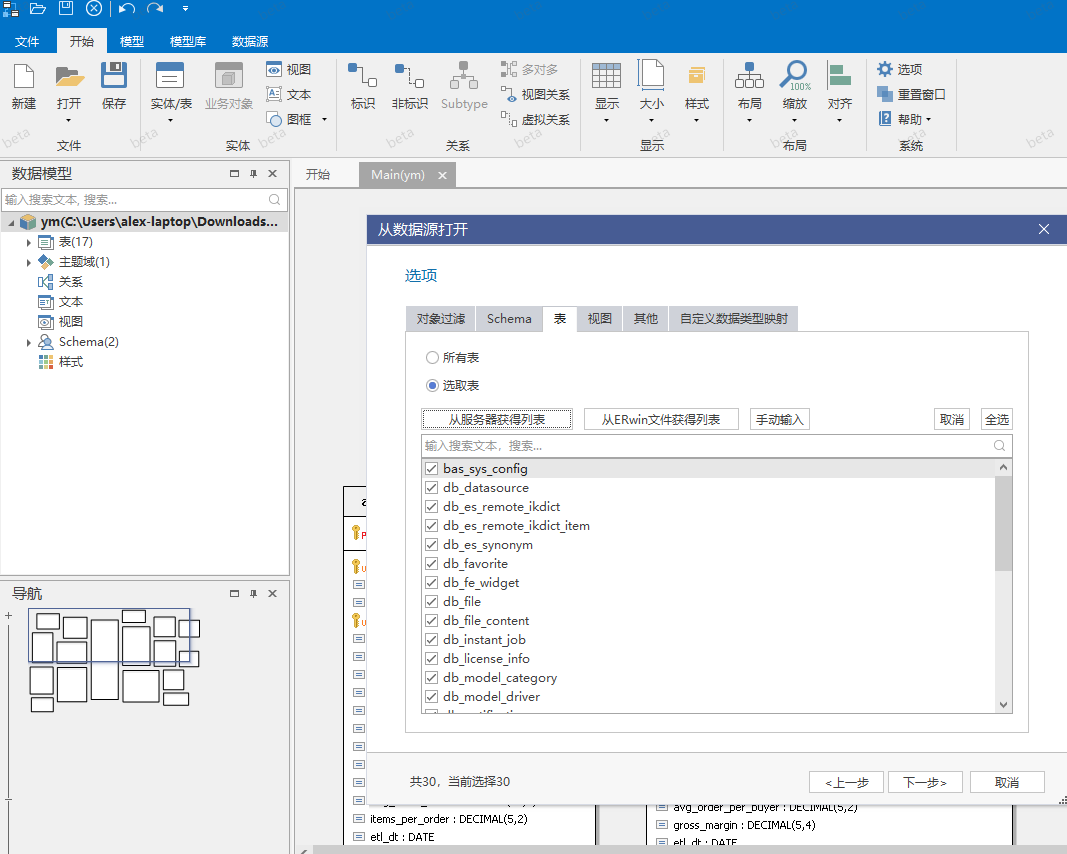
The diagram shows the entrance to the custom update model. The focus of the diagram is that the first step is to select the table to be included this time, rather than directly overwriting the model.
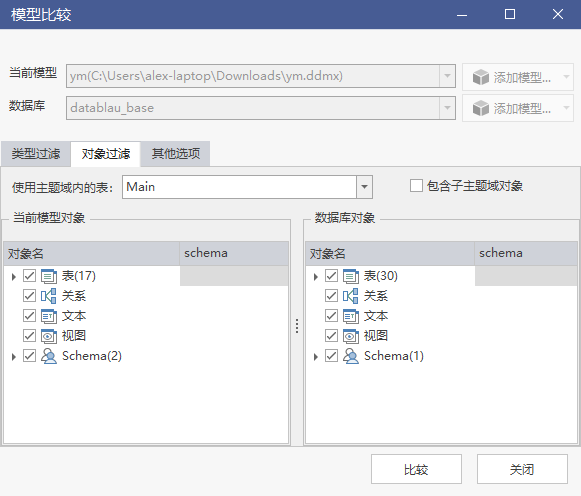
The diagram shows the selection interface that can be included in the table. The focus of the diagram is to confirm whether the table added in the database is checked.
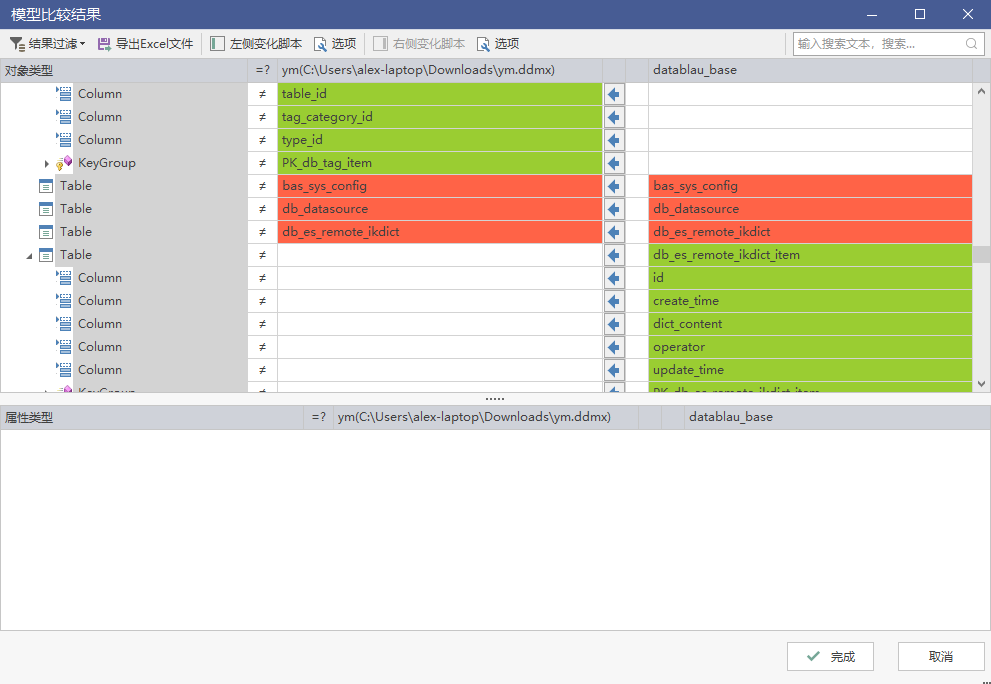
The figure shows the comparison and merge interface, and the difference is read in the same way as the model comparison.
Compare Combined Processing Logic
The custom update merges all tables, fields, and relationships obtained in reverse with the current model comparison, and the merged result is the latest model. The difference is displayed and synchronized in the same way as the model: red is the difference row, green is the unique content of a side, and the arrow determines the merging direction. Therefore, confirm the synchronization direction before merging, and avoid overwriting the new modifications on the model side with the old database structure.
Processing of temporary models
Temporary models obtained in reverse can be retained or manually deleted. Keep the file when it needs to be checked, and delete it after confirming that the merger result is correct, so as to avoid confusion with the formal model. Deleting a temporary model does not affect the content that has been merged into the current model.
Notice
- After the new table is merged, attributes that do not exist in the database, such as Chinese names, need to be completed according to the specifications.
- Re-execute the model check after the merge is completed to confirm that the physical properties are consistent with the specification.
- Confirm that the connected data source is consistent with the target library before execution, see Client Unified Data Source Management.