
Using the Schema View
The schema view shows the distribution and flow of data based on business objects, logical entities, physical tables, application systems, and CRUD relationships. View results depend on whether the underlying relationships are complete, and model bindings and field relationships should be checked first when blanks or exceptions are found. See Maintaining CRUD Relationships for how to establish CRUD relationships.
Data Distribution View
The data distribution view shows the application system to which the data entity is distributed and identifies the CRUD type.
- Click the [Data Distribution View] menu, the system displays the CRUD relationship between the entities under all business objects and the application systems under all application domains by default.
- Select a business object, app domain, or app system in the search bar above to narrow your view.
- Check whether the distribution of the master system and the replica system is in line with the design.
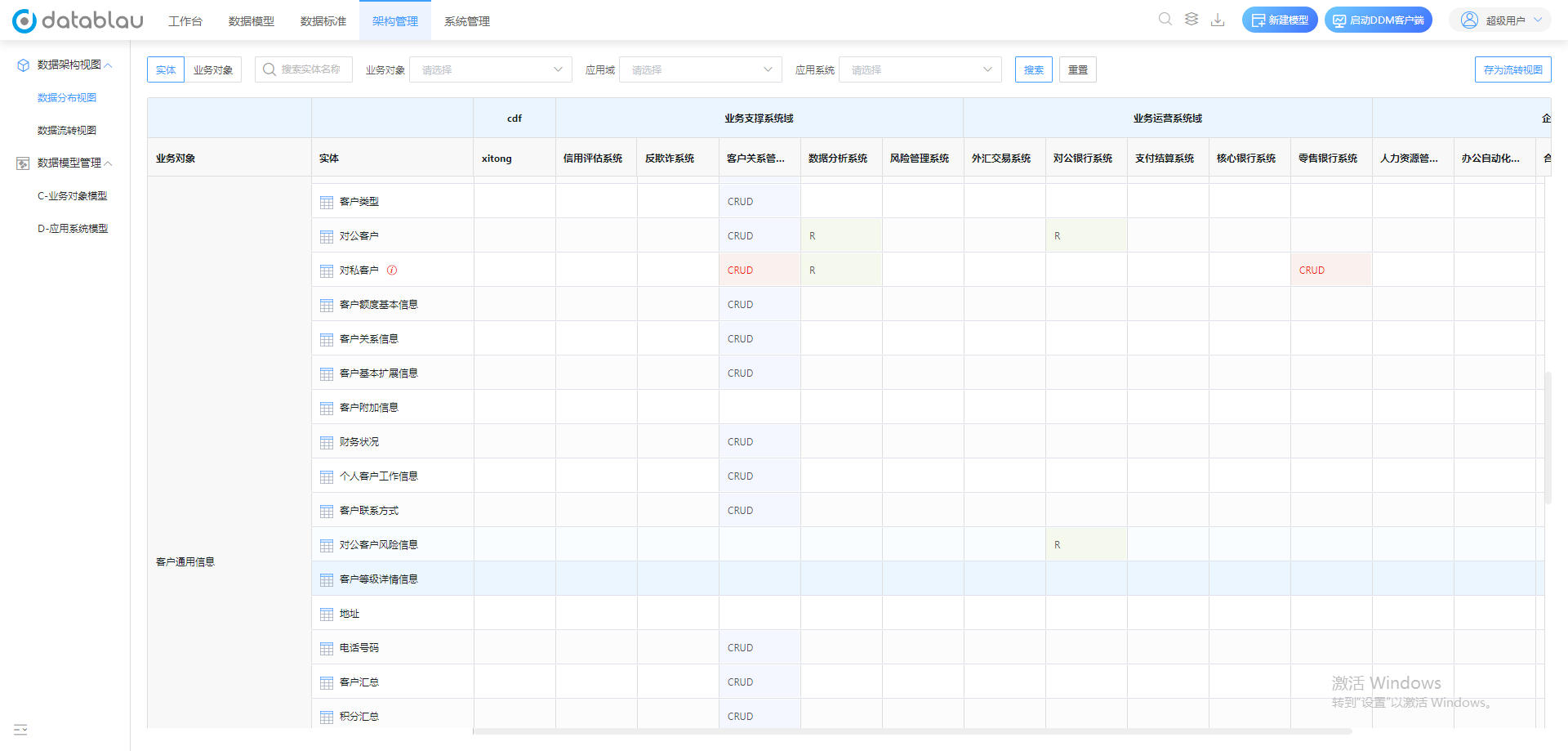
Diagram Entity-Application System View: The entity under the behavior business object is listed as the application system under the application domain, and the CRUD type is indicated by the cross-cell, which is the main interface for checking the distribution of the primary copy.
Business Objects - App Domain View
The business object-application domain view is the upper-level abstraction of the entity-application system view and is created in the same way. The aggregation rule is: when the CRUD relationship between all entities under a business object and all application systems under an application domain is CRUD, the upper relationship is CRUD; as long as there is an R relationship, the upper layer is R.
Therefore, the upper display R does not mean that the application domain is read-only, and must be drilled down to the entity-application system hierarchy to confirm the actual responsibility of each system. The rules are detailed in Maintaining CRUD relationships.
Save as Flow View
- In the [Data Distribution View] menu, select the business object and application system involved in the search bar.
- Click Save as Flow View.
- Enter the model name and save location, and click OK.
New Flowchart
- Click the [Data Flow Transfer View] menu on the left to enter the list of transfer views.
- Click the [New Flow Diagram] button to select the model in the pop-up window.
- Select the model and the subject field, and the system generates a flow chart of the subject field.
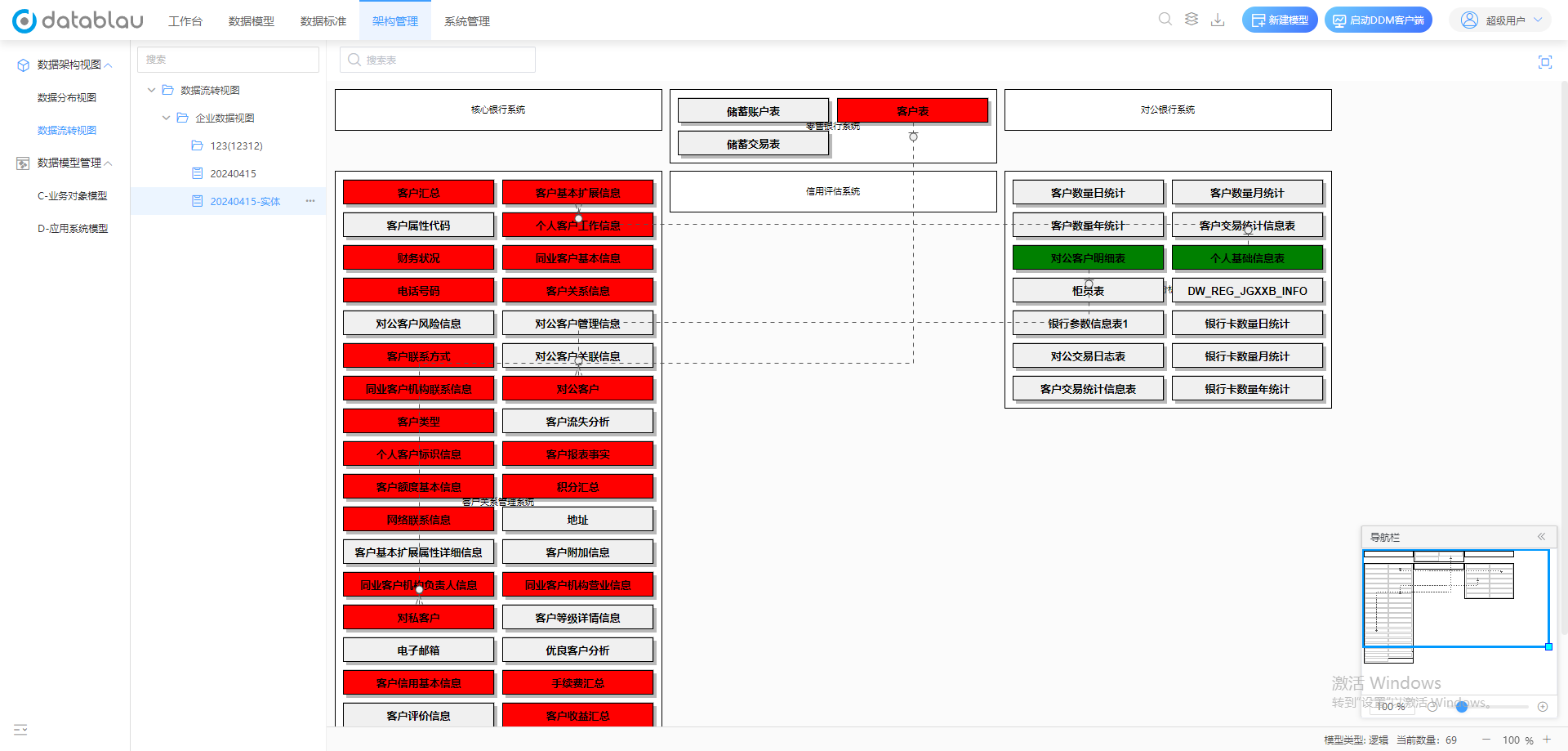
Figure List of flow diagrams and new flow diagram portal: The flow diagram is generated by the subject domain. Before selecting, confirm that the physical model under the subject domain has been saved to the model library and bound to the application system.
The system automatically generates connections and colors between physical tables based on the CRUD relationship. When you need to adjust the layout or supplementary relationship, you can open the corresponding model manual modification in the DDM Client, and the saved view will be updated accordingly.
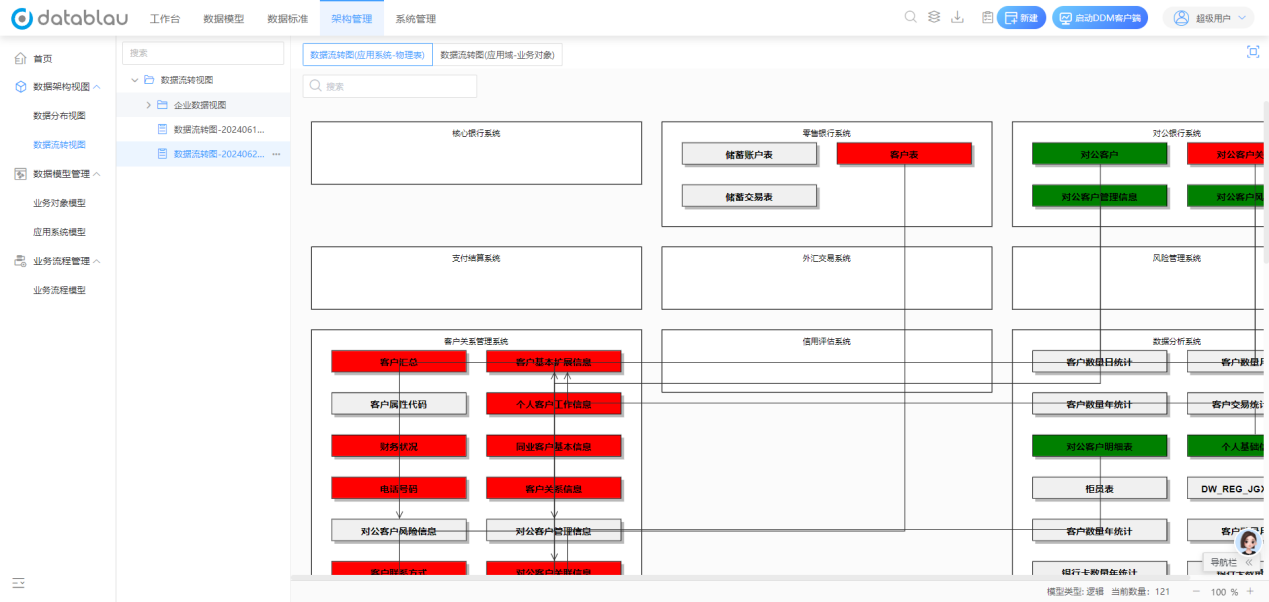
Figure An automatically generated flow chart: The tables in different system boxes are connected and colored according to the CRUD relationship. Focus on checking whether the direction of cross-system connection is consistent with the actual data processing direction.
Review before publishing
Before using the view for architecture review or external release, you should confirm that:
- The flow direction is consistent with the actual data processing direction, and the main data source and copy system are clear.
- There is no physical model of the unbound application system.
- There are no connections with only table relationships and no field-level basis.
- The model modification has completed the release approval, and the web side does not display the old version.
See the Through Data Model validation checklist for exception troubleshooting paths.