
Data catalog quick start
Design, catalog, authorize, publish, and verify one business folder and a few harvested tables.
Before you begin
| Requirement | Check |
|---|---|
| Clear business scope | Inclusions, exclusions, maintainer |
| Harvested tables | Searchable with verified source/meaning |
| Stewards/reviewers | Permissions and separate approval responsibilities |
| Ordinary business user | Consumer visibility testing |
Reuse a suitable space. Create one only if its structure is insufficient.
1. Design types and a space
Follow Space design for levels, assets, properties, completeness, and separate approvals; create and enable the space.
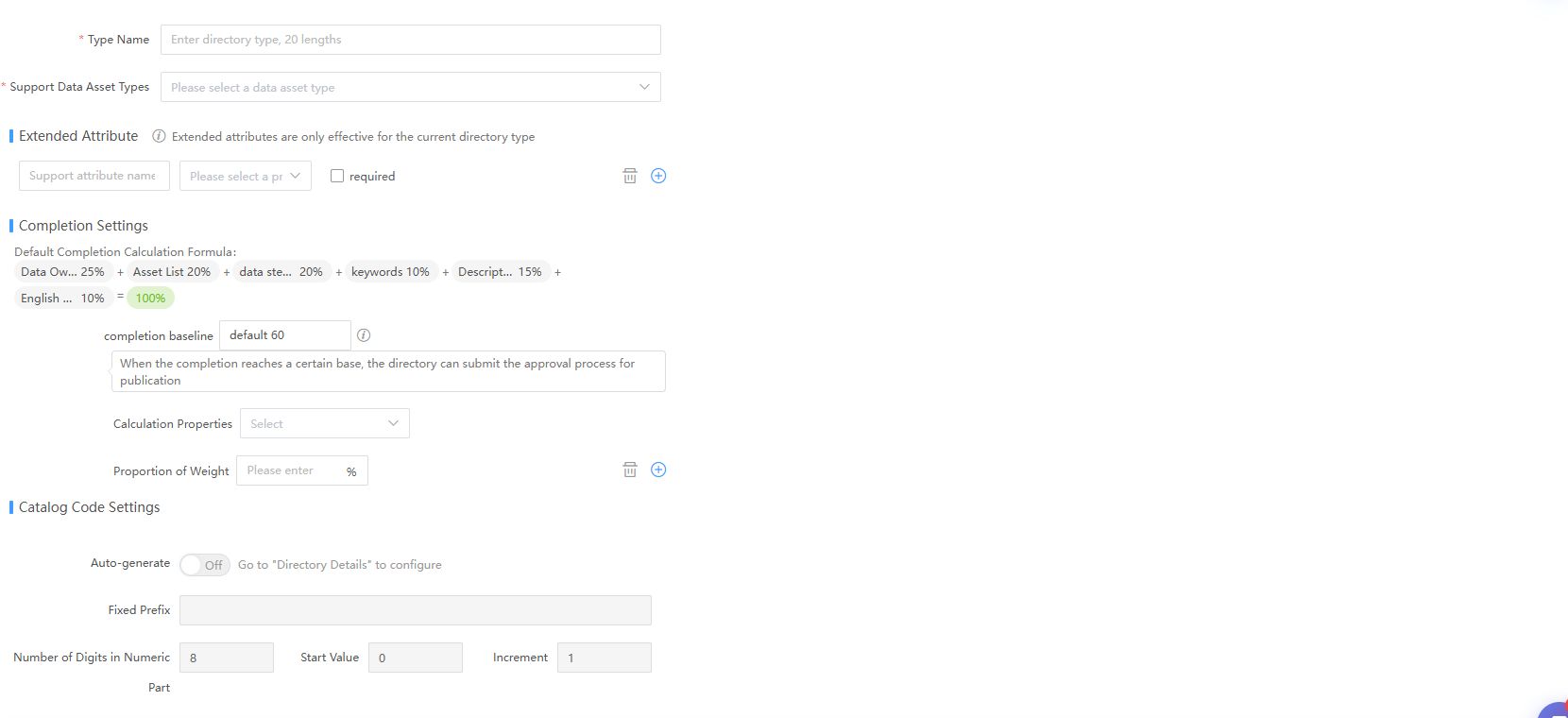
Use actual organizational thresholds/rules. Verify enabled state, table support, properties, and approvals. Enablement does not create folders or assets.
2. Create folders and node permissions
- Follow Folder maintenance to create a node.
- Complete name, scope, description, ownership, and required properties.
- Grant user/group/organization management, edit, and access rights.
- Verify child inheritance does not broaden scope unexpectedly.
Test steward editing and consumer access. Locked public display is not an access grant.
3. Register tables
Use Register Table, verify system/source and business ownership, then inspect assets/numbers. For missing tables, check type support, metadata, and module rights. Avoid same-name objects in other environments.
4. Publish folders and assets separately
Use More Actions > Publish Asset Folder, reason, and inclusion options. For individual assets, select and Publish. Verify all folder/child/asset states and each approval or direct-publication result.
5. Verify as a business user
- Open Marketplace with expected ordinary-user rights.
- Find the asset by keyword or folder.
- Verify path, description, source, and request action.
- If hidden, check enablement, parent/asset publication, then access.
Completion means authorized consumers can find and understand assets. Actual data use still requires Requests and offline delivery.
Expand coverage
After the pilot, use Inventory or templates. Acceptance/import does not replace publication or consumer testing.