
Data quality
Use Data Quality to define validation rules, run tasks, review reports, and confirm, assign, and resolve issues.
Validation checks actual records against business requirements through technical rules. Automated standards validation checks column associations and conformity to standards. Issue verification rechecks failures after remediation; successful execution alone does not confirm resolution.
| Navigation group | Pages |
|---|---|
| Quality Reports | Quality Overview, Rule Report, Issue Report |
| Rule Management | Rule Templates, Business Rules, Technical Rules |
| Validation Tasks | Validation Tasks |
| Issue Management | Issues, Issue Verification, Knowledge Base |
| Rule Parameters | Parameter Settings, Quality Permissions, Issue Assignment Plans, Rule Types |
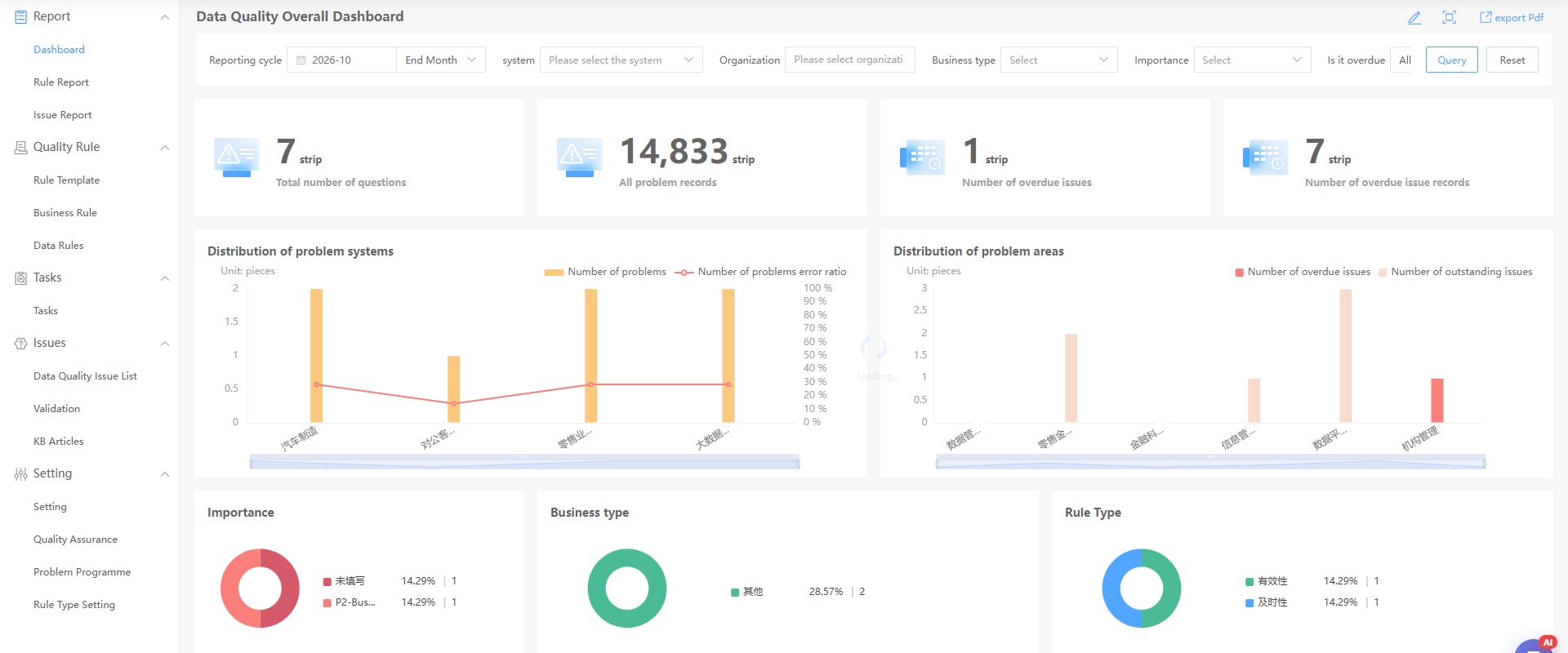
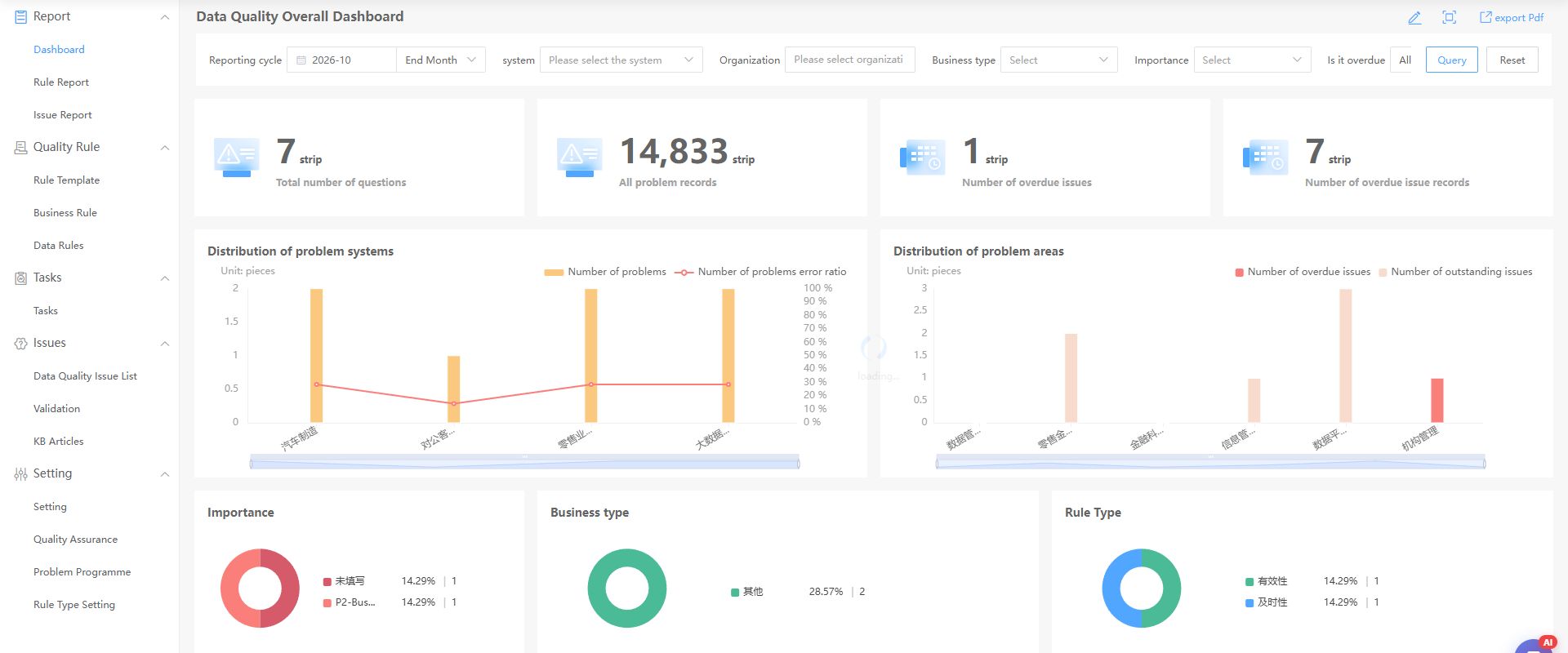
Open the full image. Statistics and filters vary by environment; the screenshot illustrates navigation and layout.
Follow the remediation lifecycle
Business rules define requirements, technical rules implement checks, tasks execute them, issue lists organize remediation, and verification confirms the outcome. Reports summarize results; the knowledge base captures solutions.
| Object | Work | Output |
|---|---|---|
| Rule template | Capture reusable descriptions and parameters | Reference for business rules |
| Business rule | Define objects, requirements, responsible organization, and category; publish | Requirement for technical rules |
| Technical rule | Define the source, executable check, and record identifier | Rule available to tasks |
| Validation task | Select published rules, scope, interval, and recipients | Results, statistics, and failed records |
| Issue list | Confirm, assign, and document remediation | Traceable remediation record |
| Issue verification | Recheck data after closure | Failed, partially passed, or passed result |
| Knowledge base | Capture causes, solutions, and verification | Reusable guidance |
A requirement can need several technical checks. Create executable rules as well as business rules. Business rule details link to technical rules, tasks, and issues.
Before you begin
Review folders, user group access, and rule types in Quality configuration. Verify source read access. Use stable record identifiers for continuous tracking; automatically generated primary keys do not support verification.
A quality lead coordinates validation, business owners confirm definitions, and data maintainers fix source data. These responsibilities are recommendations; actual roles depend on your organization. Verify rule, folder, and issue handling permissions separately.
Choose a report
| Report | Information | Next check |
|---|---|---|
| Quality Overview | Score, rule counts, remediation monitoring, issues, overdue items | Actual scope in tasks, issues, and records |
| Rule Report | Rules by type, system, additions, and removals | Requirements have executable rules used in tasks |
| Issue Report | Issues by type, system, and other dimensions | Ownership, progress, verification |
Issue lists and failed records use different units; one list can contain several failed records. Use reports to prioritize and handle remediation through lists and records.
Filter by reporting period, system, organization, business type, importance, and overdue status. Record filters before reading cards and retain them with PDF exports. Clear filters and query again to check the full scope.
Find a task
| Goal | Guide |
|---|---|
| First validation and remediation cycle | Quick start |
| Publish business requirements | Business rules |
| Templates and imports | Rule templates |
| SQL, expressions, functions, comparisons | Technical rules |
| Run tasks and inspect results | Validation tasks |
| Read and export statistics | Report operations |
| Assign, fix, and verify issues | Issue handling |
| Capture reusable solutions | Knowledge base |
| Folders, types, variables, assignments | Quality configuration |
Align rules with business definitions. See Data standards for semantics and Metadata lineage for dependencies.