
Agent templates
Screenshot note: Screenshots are illustrative. Controls or labels may remain untranslated in the demo release, and pages without a faithful English capture retain the source illustration. Control names and layouts can vary by release.
An agent template is a configuration snapshot that cannot execute directly. A space creates its own agent instance from the template rather than running tasks on the template.
Choose a template type
Open Configuration Management > Agent Template Management and select the appropriate section.
| Type | Purpose | Used in |
|---|---|---|
| Data Governance Agent template | Organize governance capabilities, Sprites, and Routines | Space governance phase |
| Business Query Agent template | Query and explain governed assets and knowledge | Space context phase |
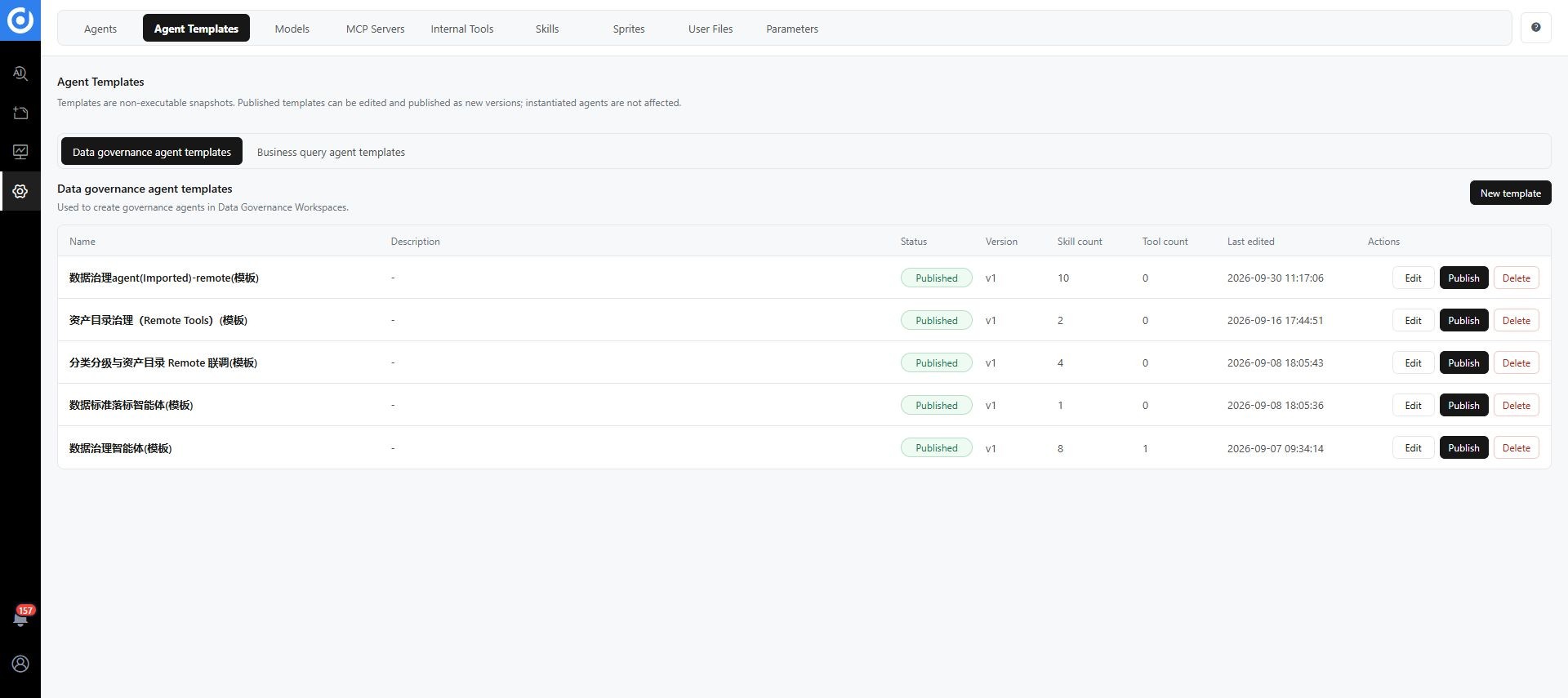
Open the full image. Names and revision labels in the screenshot are examples.
Prepare the source agent
In agent management, prepare and verify the source agent's model, system prompt, MCP, Skills, Sprites, and Routines. Publishing a template does not test or repair those dependencies.
Create a draft
- Click New Template in the appropriate section.
- Select the source agent whose configuration you want to copy.
- Enter a name and description that explain business scope and capability boundaries.
- Click Create Draft.
- Open the draft and review basic information, system prompt, MCP, Skills, Sprites, and Routines.
The system copies these configurations but does not copy Routine schedules. Sprites and Routines appear as read-only snapshots in the template.
Publish a template
- Finish reviewing the draft.
- Check Skill and tool counts in the list.
- Click Publish.
- Verify Published status, last edit time, and revision history.
- Check that the template appears under the correct type when creating a space.
The list's version identifies a template configuration revision, not a product release.
Edit and publish a revision
Click Edit, save changes, and publish from the list. A new revision does not automatically update existing agents or spaces. Test a new instance before promoting changes. Manage existing instance configurations independently; refreshing the page does not upgrade them.
Configure instance schedules
Schedules are excluded from templates. Configure and enable them on the target agent instance. Verify actual trigger times and execution history rather than assuming that a copied Routine is scheduled.
Before deleting a template
Confirm it is no longer needed to create spaces and check dependent users. Existing instances retain their configurations, but new instances can no longer be created from the deleted template.
Troubleshooting
| Symptom | Check |
|---|---|
| Template missing during space creation | Template type and Published status |
| Cannot converse with a template | Instantiate it as an agent or space first |
| Source agent changed but template did not | Refresh and publish the snapshot as appropriate |
| Existing space unchanged after template update | Inspect the independent instance configuration |
| Routine exists but does not run periodically | Configure the target instance schedule |