
Match, recommend, and validate standards
Recommendations, associations, and validation produce different outcomes.
| Term | Meaning | Follow-up |
|---|---|---|
| Standards mapping | Associate a column with an applicable standard | Verify meaning, technical properties, and relationship |
| Intelligent Matching | Suggest existing basic standards using column properties | Accept or reject candidates; recommendations alone are not mappings |
| Grouped Recommendations | Group unmapped columns by Chinese name | Confirm equivalent meanings, create standards, verify bindings |
| Automated Standards Validation | Check existing mappings within a task scope | Inspect issues, correct definitions/mappings, rerun; does not validate actual record values |
Matching names or high scores do not establish equivalent meaning.
Use Intelligent Matching
Intelligence here means property-based candidate generation and ranking, not automatic business approval.
- Go to Standards Implementation > Intelligent Matching > Data Scope.
- Select sources and reference properties such as Chinese name, English name, and description.
- Wait for the background scan.
- Compare candidate meanings, types, lengths, and domains.
- Accept correct candidates to create mappings or Reject incorrect ones.
- Verify selections before bulk acceptance/rejection.
Rejected pairs appear in Re-recommendation management and can be restored. Verify accepted mappings from columns and standard references.
Use Grouped Recommendations
This groups unmapped columns by Chinese name to identify potential shared definitions, whereas matching finds existing standards.
- Open Standards Implementation > Grouped Recommendations.
- Check the grouping task's interval/configuration, run it, and inspect groups.
- View a group and verify source systems and equivalent meanings.
- Select only semantically equivalent columns and Create Standard.
- Verify the new standard and bindings.
Same-name columns may differ. Deleting recommendations does not delete database columns.
Run Automated Standards Validation
Automatic refers to configured scope and scheduling, not automatic repair or record-level quality validation.
- Open Standards Implementation > Automated Standards Validation.
- Configure scope and interval or execute immediately.
- Inspect global and system-level statistics.
- Review per-standard conformance, issue descriptions, and handling notes.
- Correct mappings/definitions, rerun, and export Excel results if needed.
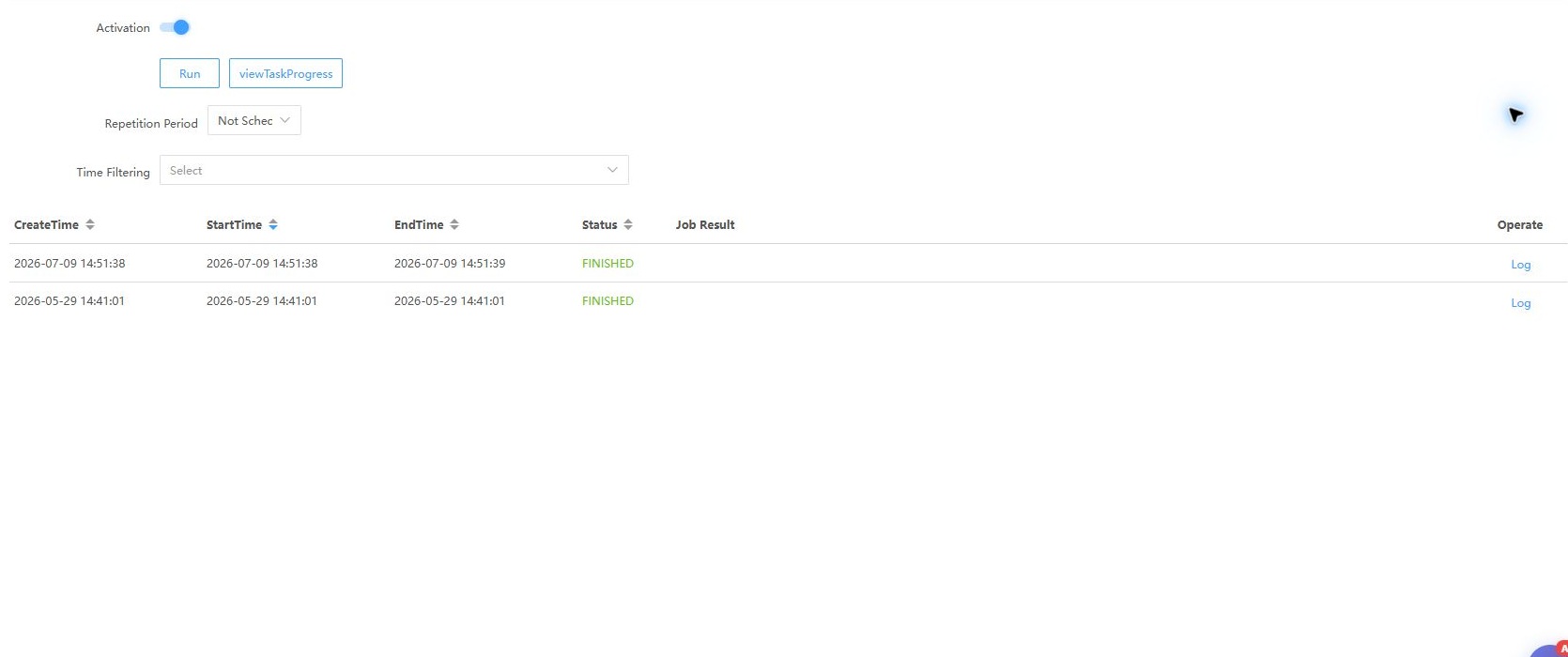
Review execution history as well as configuration. Use Data quality for actual records.
Parameters and troubleshooting
System Settings > Parameters controls code generation for standards, codes, domains, and metrics. Automatic generation disables manual code entry; verify the rule first.
For stale recommendations, check scope, reference properties, and jobs. For inaccurate matches, improve descriptions and review definitions. For missing accepted mappings, verify source and column identities.