
Data intelligence spaces
Screenshot note: Screenshots are illustrative. Controls or labels may remain untranslated in the demo release, and pages without a faithful English capture retain the source illustration. Control names and layouts can vary by release.
A data intelligence space brings together the assets, documents, and governance capabilities needed for a business goal. Create a bounded workspace with its own governance agent and traceable results, then proceed to context validation.
The source configuration is the system Agent or published template selected at creation. An instance is the independent copy used by the space. Source changes do not overwrite existing instances. Space context is the set of assets and documents available for the current task; adding assets does not copy source database data.
Prerequisites
- Define a bounded goal, such as completing business descriptions for a sample customer table.
- Confirm access and governance permissions for target assets.
- Have an administrator prepare an available system Data Governance Agent. Some environments create it from a published template; the wizard lists the sources available to your account.
- Prepare applicable documents and identify the reviewer.
A space organizes context without granting additional source data permissions.
Step 1: Find spaces
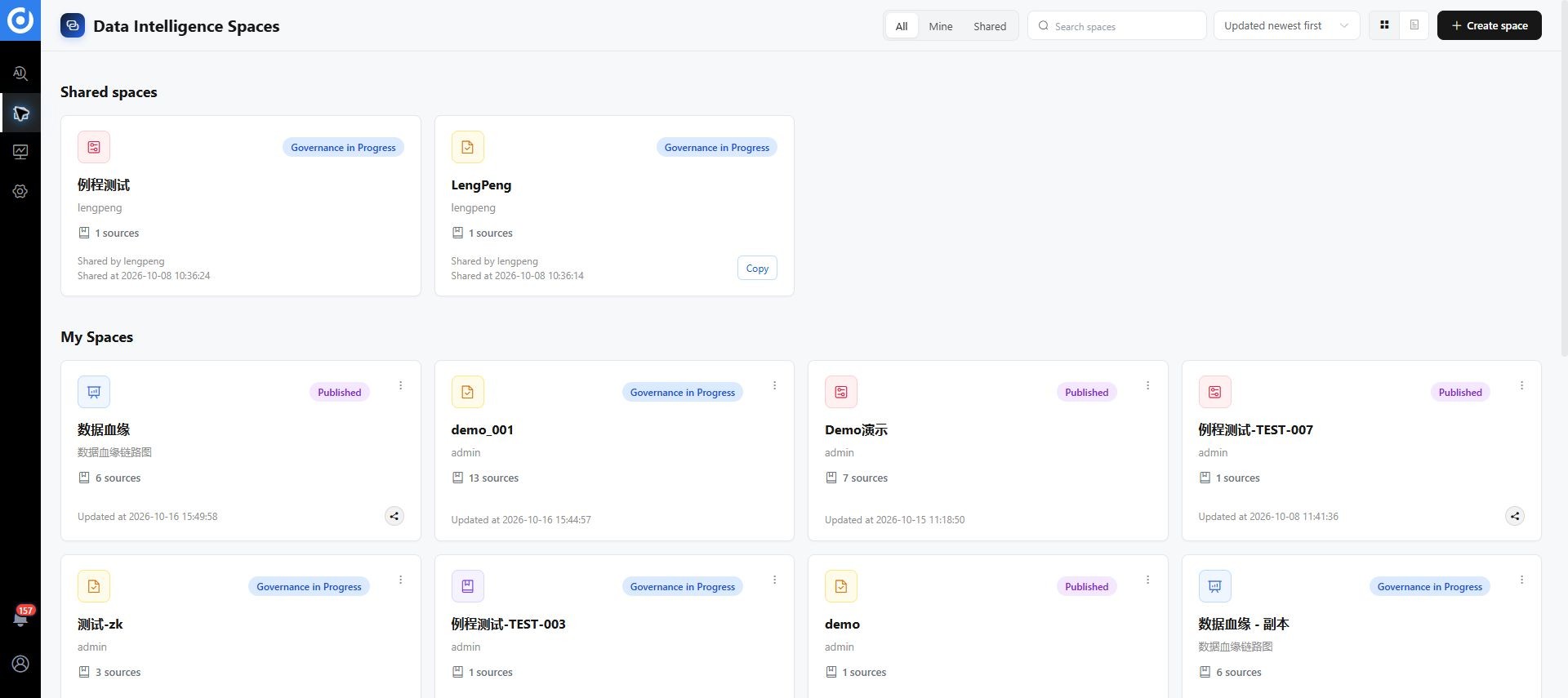
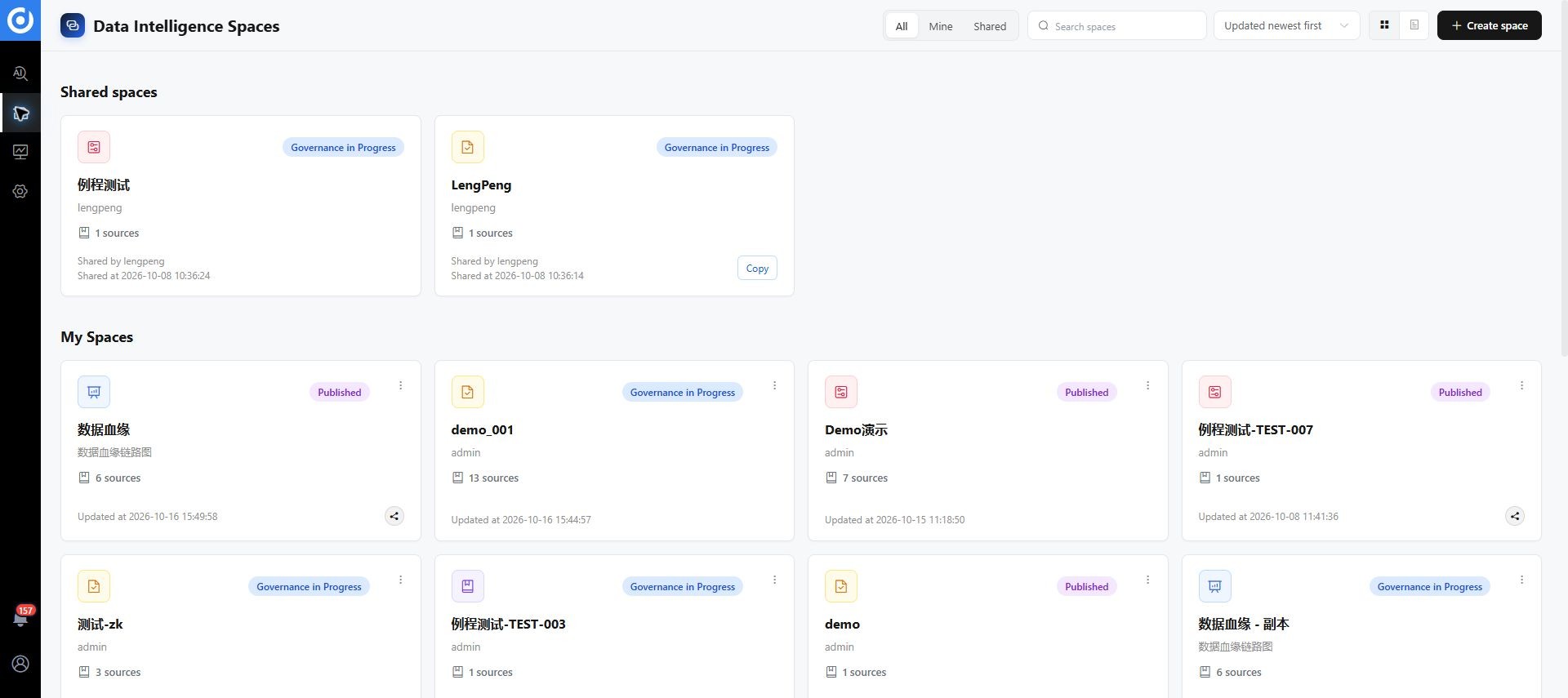
Open Data Intelligence Spaces. Switch between All, Mine, and Shared, search by name, change Space Sort, and choose grid or list view. Mine contains spaces you created or can manage; Shared contains shared spaces you can access. Check filters and sharing permissions if a space is missing.
Step 2: Create a space
- Click Create Governance Space.
- In Start, enter a name describing the domain and goal, plus a description with scope and acceptance criteria.
- Under Select Data Governance Agent, choose a system Agent and expand it to review capabilities. Use Go to Template Management if a source needs to be created.
- Click Confirm and Continue after selection. This action is disabled until an Agent is selected.
- Verify the space name and dedicated Agent, then configure target objects.
The space receives an independent agent copy. A later source update does not change it.
Step 3: Add assets and documents
The workspace follows Start > Data Governance > Context Management > Publish. During governance, assets appear on the left, conversation or the knowledge graph in the center, and workflows and execution records on the right.
Open the full image. Space, asset, and workflow names are examples.
- Add the systems, data sources, tables, or other objects to govern.
- Search assets and check the source of objects with matching names.
- Select objects for the current task. Added to the space and selected as current conversation context are different states.
- Add applicable business documentation, dictionaries, and standards.
- Check the selected count and object list before submitting a task.
Step 4: Run governance
Describe a task in the conversation or select a configured workflow on the right. Start with one table or a few fields.
Inspect the selected sample table. Propose values only for fields missing a Chinese business name or business description.
Use the business terminology documents in this space and preserve existing, accurate descriptions.
List each object, current value, proposed value, and rationale. Submit proposed changes for human confirmation.
This prompt is an example. Before running a Routine, read its parameters. Workflow names and counts depend on the template and instance. See Sprites and Routines.
Step 5: Review and verify
- Inspect execution records for successful, failed, and unprocessed objects.
- Open approval requests and compare values and rationale.
- Edit, approve, or reject proposals and record reasons.
- Verify actual attributes, rules, or catalog results in DAM.
- Resolve remaining approvals, failures, and missing business context.
Step 6: Manage context
Choose Governance Complete to proceed to context validation and publishing. This action advances the workspace; the owner still needs to confirm actual results and outstanding work.
Completion checks
| Area | Expected outcome |
|---|---|
| Scope | Correct asset sources and current task selection |
| Agent | Independent instance from a suitable source, with working dependencies |
| Execution | Traceable records and explanations for failures and omissions |
| Review | Proposals processed and actual results verified in DAM |
| Next phase | Context can be organized without publishing out-of-scope content |
Troubleshooting
No source Agent is available. Check account visibility of system Agents. If agents are template-managed, check template type and publication in Agent Template Management. Agents and templates are separate objects.
An added asset is ignored. Check current context selection, permissions, and prompt scope.
Template updates do not affect the space. Manage the instance or create a new one from an appropriate template.
A shared space is missing. Check view filters, search terms, and sharing scope.