
Sprites and Routines
Screenshot note: Screenshots are illustrative. Controls or labels may remain untranslated in the demo release, and pages without a faithful English capture retain the source illustration. Control names and layouts can vary by release.
A Governance Sprite performs one atomic task, such as querying metadata or retrieving standards. A Routine combines Sprites using defined business logic. A Sprite is not itself a periodically running proactive governance task.
An input schema defines parameter names, types, and constraints; it is not a database schema. Parameter mappings pass Routine inputs or upstream outputs into downstream inputs. Tools perform actual reads and writes. Prompts and execution arrows alone do not establish that parameters or tools are configured.
Open management
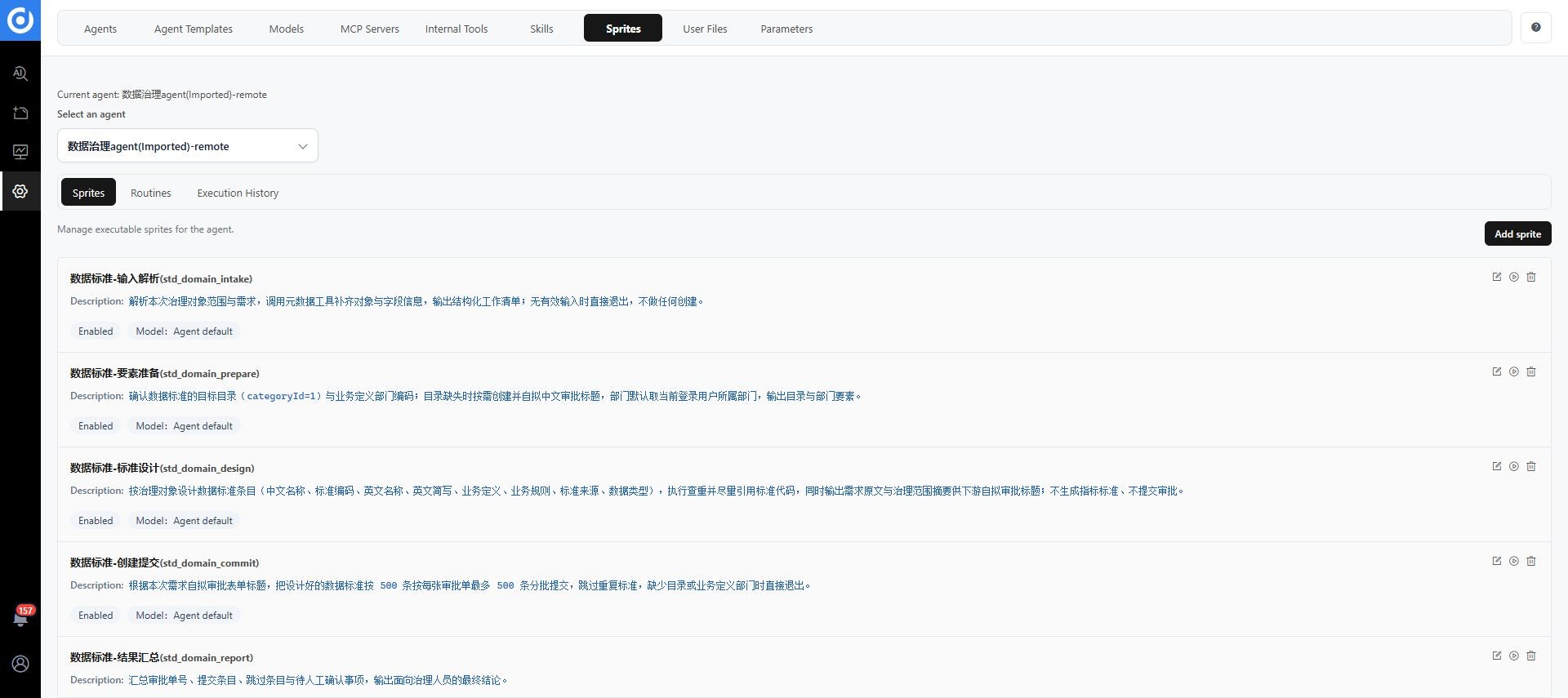
Open Configuration Management > Governance Sprites and select Current Agent. The page has Sprites, Routines, and Execution History sections. Resources belong to the selected agent. Verify selection before recreating a missing resource.
Design a Sprite
See Sprite design and publication for detailed inputs, tools, and release boundaries. Define a bounded task with explicit inputs and usable outputs.
| Setting | Purpose | Verify |
|---|---|---|
| Code, name, description | Stable identity and task explanation | One clear responsibility |
| Template prompt | Goal, scope, output, and exceptions | Variables match input schema |
| Input schema | Names, types, and descriptions | Required fields, defaults, and scope are explicit |
| Current model | Understanding or transformation | Capability fits the task |
| MCP, internal service, or Command Line | Execution through protocol tools, interfaces, or commands | Minimal required tools, correct permissions and runtime |
| Enabled, exposed as a tool | Availability and invocation | Intended consumers only |
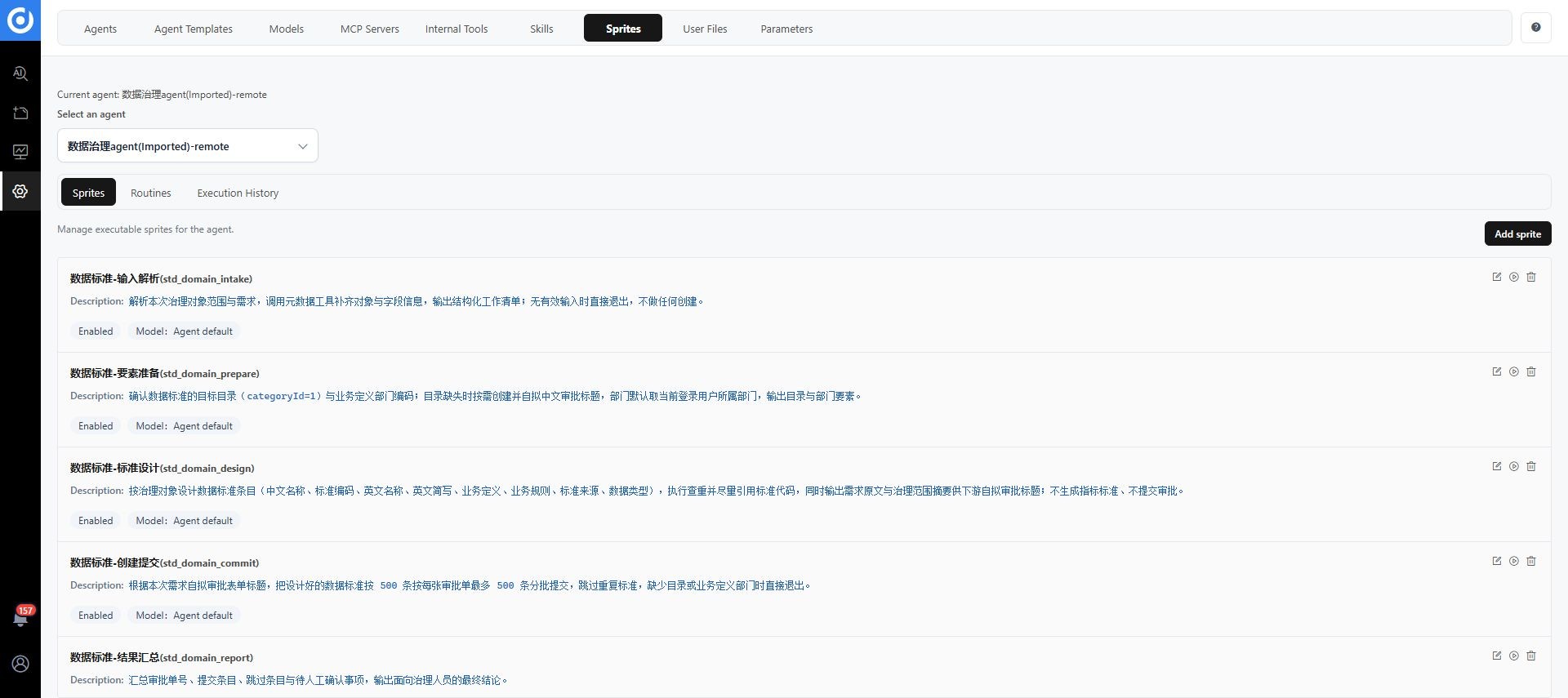
Open the full image. Commands and resources shown are examples; use validated tools in your environment.
Create and test a Sprite
- Create a Sprite and enter code, name, and description.
- Write a prompt for one task, including how to report inability to complete it.
- Define inputs. Placeholders such as
must match parameter names. - Select a model and bind tools.
- Configure enabled status and tool exposure.
- Test inputs, outputs, and tool results with a controlled sample, then save.
AI can derive Sprites from Skills, conversations, or processes. Review scope, parameters, and dependencies after generation.
Design a Routine
See Routine orchestration for inputs, mappings, failure handling, and diagnostics. Define inputs and outputs before arranging steps. For example, a read-only object check could locate metadata, inspect descriptions and standards associations, then summarize gaps. This is a design example, not a guaranteed built-in Routine.
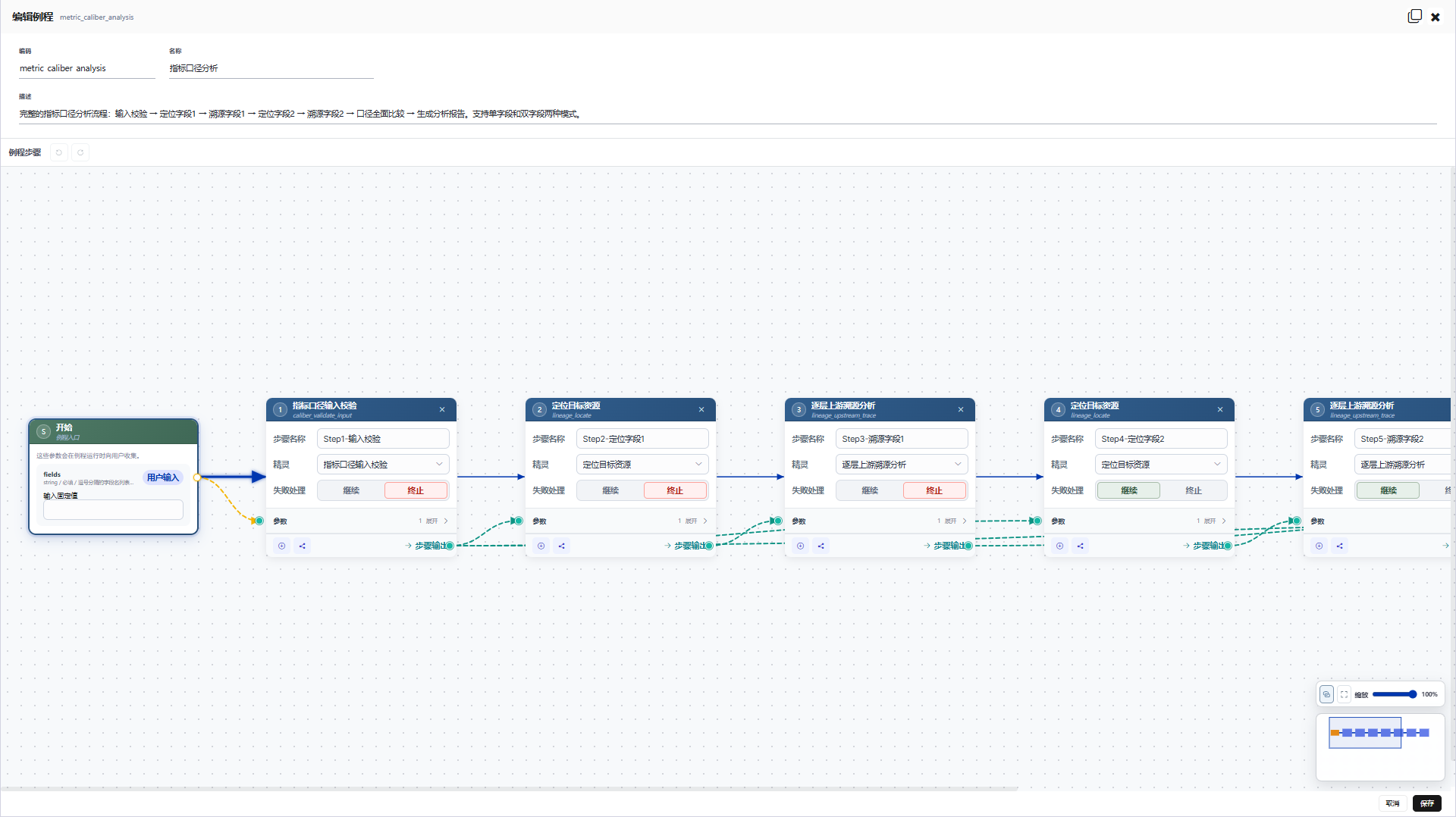
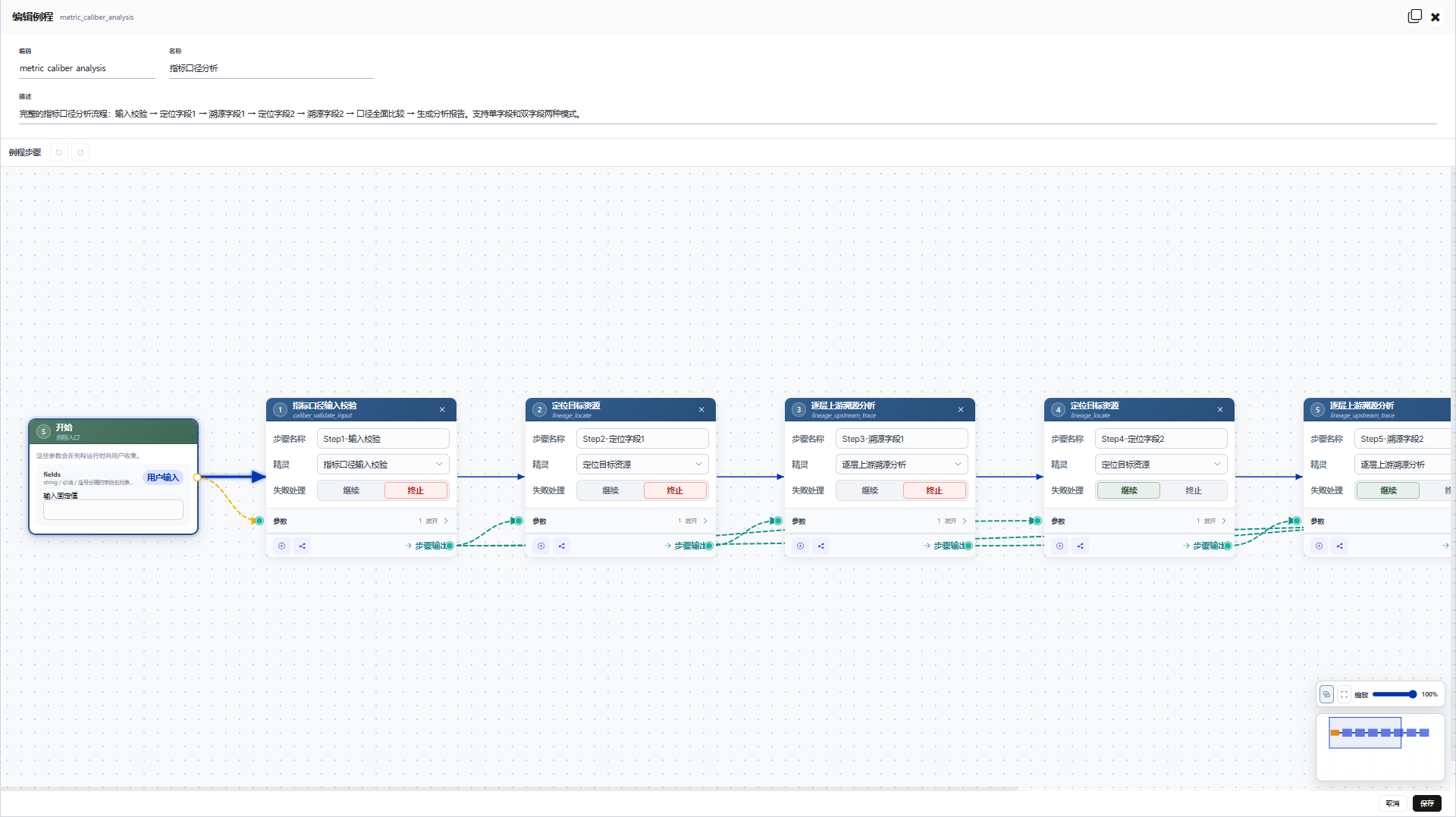
Open the full image. The metric analysis example illustrates the canvas; actual node names are configurable.
Orchestrate steps
- Create a Routine with code, name, description, and entry parameters.
- Add Sprite nodes with clear step names.
- Select a Sprite for each node.
- Map entry parameters or upstream outputs to node inputs.
- Connect dependencies. Run dependent steps sequentially; parallelize only independent work.
- Set failure handling to Continue or Terminate. Critical writes usually require termination on failure.
- Use parameter relationship display, zoom, undo, and redo to inspect the flow.
- Test the complete path, save, and follow the available publishing process.
Check every input's source. An execution arrow does not automatically map required parameters.
Schedules and templates
Schedules belong to an agent instance. Templates copy Sprite and Routine definitions but exclude schedules. Configure recurring runs on the target instance and verify the first trigger record.
Inspect execution history
Find the Sprite or Routine in Execution History. Drill into Routine nodes to inspect inputs, outputs, status, tool results, and errors.
| Symptom | Check first |
|---|---|
| Empty history | Current agent and whether tasks have run |
| Missing parameters | Entry inputs, placeholder names, and mappings |
| Tool failure | Model, MCP, internal service, or command runtime |
| Unexecuted nodes | Upstream failure policy and dependencies |
| Successful flow with wrong business results | Scope, output semantics, and actual DAM records |
Acceptance testing
Test normal input, missing required inputs, service failure, and partial node failure. Preserve human confirmation for writes and verify actual objects and properties in DAM. Execution success establishes completion of a call, not business correctness.