
Collaborate on classification and review
Screenshot note: Captured from the English interface. Some controls are still untranslated in this release; demo data names retain their original language.
Use manual classification for tables, views, and data items requiring individual judgment. Prepare categories, levels, evidence, and reviewer responsibilities.
Move from unclassified to pending confirmation
- Open Classification Tools > Collaborative Classification.
- Select objects in To Classify and verify source/meaning.
- Select the security class on the right and confirm association.
- Inspect class/level in Pending Confirmation.
- Use Edit Classification or Edit Security Level as needed. Same-class assets can have different levels.
- Submit for Review.
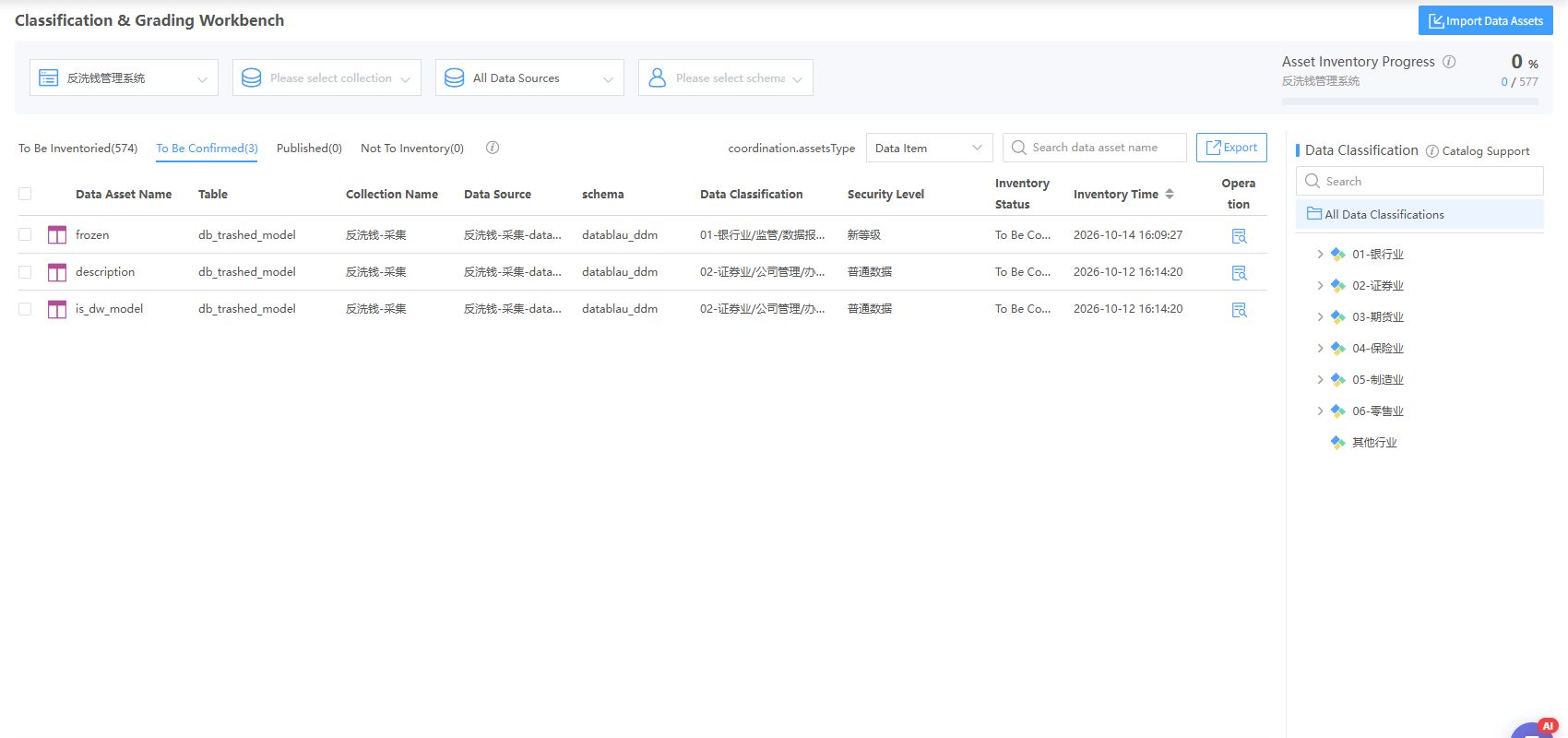
Verify count/scope before batch actions. Mark excluded objects Defer Classification. Reclassify returns objects to To Classify; published/deferred objects can also be revisited.
Import existing classifications
Download the Import Assets template. Asset Review imports into Pending Confirmation and still requires submission. Publish Directly bypasses this review page and requires organizational authorization. Correct failures. Exports cover the current state unless rows are selected.
Review and publish
- Open Classification Tools > Review and Publish.
- Filter asset, system, source, harvesting name, inventory mode, and classification time.
- Inspect objects, classes, levels, and evidence rather than scores alone.
- Approve correct results to publish.
- Reject incorrect results for reclassification.
- Inspect success/failure counts; deleted metadata can cause partial failure.
Verify results
Check actual object classifications and published overview distributions. Publication does not configure access. Use Policies and Gateway separately.